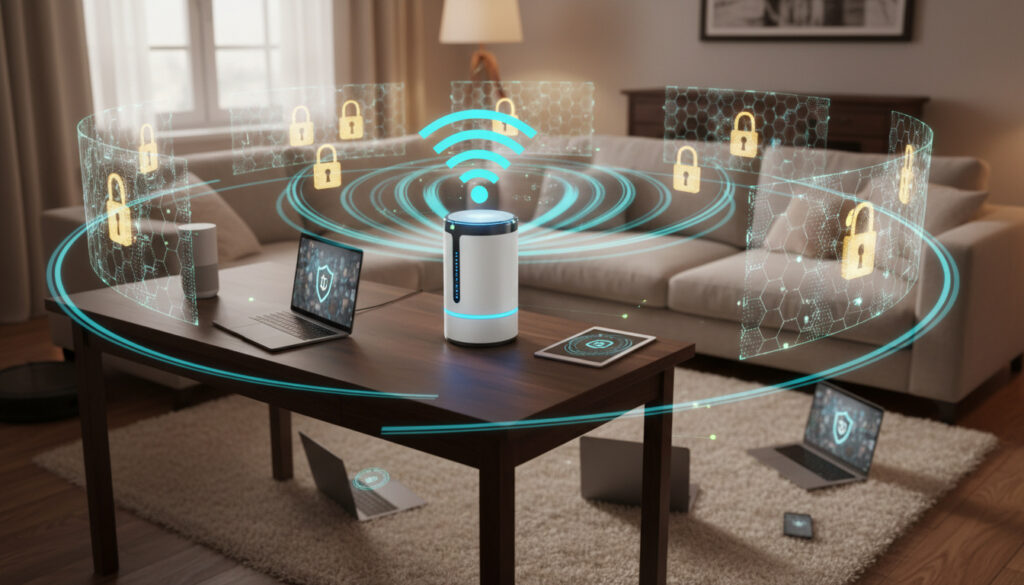
How to Secure Home WiFi – Key Steps for Strong Protection
Introduction
Home WiFi networks now manage everything from financial transactions to medical device connectivity, yet many remain configured with default settings that leave them vulnerable to unauthorized access. The transition to remote work has intensified these risks, with residential endpoints becoming primary targets for credential harvesting and ransomware deployment. Understanding how to properly secure your wireless infrastructure requires moving beyond basic password protection to implement layered defensive measures that address both legacy vulnerabilities and emerging attack vectors. For New Zealand households managing increasing volumes of sensitive personal data, robust cybersecurity fundamentals have shifted from optional to essential.
Essential Protection Measures
Effective wireless security rests on several non-negotiable technical controls. Strong password protocols remain the primary defense against brute force attacks, with administrative credentials requiring particular attention. Network encryption standards have evolved significantly, rendering older protocols obsolete.
Encryption Standards
WPA3 offers superior protection against offline dictionary attacks compared to its predecessors, though WPA2 with AES encryption remains acceptable where hardware limitations exist. Avoid WEP and original WPA implementations entirely, as modern cracking tools can compromise these within minutes.
Network Segmentation
Isolating Internet of Things devices on separate VLANs prevents lateral movement should a single smart appliance become compromised. Guest networks should remain isolated from primary infrastructure, with bandwidth limitations preventing abuse.
Critical Vulnerabilities
Analysis of residential network compromises reveals consistent patterns in attack vectors. Default administrative credentials, unchanged from factory settings, account for the majority of successful intrusions. Router configuration weaknesses extend beyond passwords to include remote management interfaces left enabled and Universal Plug and Play protocols that bypass firewall protections.
Security Protocol Comparison
| Protocol | Encryption | Vulnerability Status | Compatibility |
|---|---|---|---|
| WPA3 | AES-128/192/256 | Resistant to offline attacks | 2019+ devices |
| WPA2 | AES-CCMP | Vulnerable to KRACK attacks | Universal |
| WPA | TKIP | Severely compromised | Legacy only |
| WEP | RC4 | Fundamentally broken | Obsolete |
Implementation Protocol
Securing your network requires systematic hardening across hardware and software layers. Federal Communications Commission guidelines recommend immediate firmware updates upon installation, followed by quarterly verification schedules.
Change default administrative passwords before connecting to the internet. Disable WPS push-button functionality, which PIN-based attacks can exploit regardless of password complexity. Position routers centrally to minimize signal leakage beyond property boundaries while maintaining adequate coverage.
Deployment Timeline
- Immediate: Update firmware, change administrator credentials, and implement WPA3 or WPA2 encryption
- Week 1: Configure guest networks, disable remote management, and enable automatic updates
- Month 1: Implement MAC address filtering for stationary devices and audit connected endpoints
- Ongoing: Quarterly password rotations and annual hardware replacement assessments
Clarifying Security Myths
Common misconceptions persist regarding WiFi protection. SSID hiding provides no meaningful security, as network scanning tools reveal hidden identifiers instantly. MAC address filtering offers minimal deterrence against determined attackers who can spoof hardware addresses.
Signal strength reduction alone cannot prevent wardriving attacks, as high-gain antennas capture weakened transmissions from considerable distances. National Institute of Standards and Technology recommendations emphasize that proper encryption renders signal containment strategies secondary.
Current Threat Landscape
Attack methodologies targeting residential networks have grown sophisticated. Evil twin access points mimic legitimate networks to capture credentials, while KRACK and FragAttacks exploit protocol-level vulnerabilities in WPA2 implementations. Australian Cyber Security Centre advisories document increased targeting of home networks during peak usage hours when detection likelihood decreases.
The proliferation of IoT botnets poses particular risks for New Zealand users, with compromised devices frequently leveraged in distributed denial-of-service attacks. Local privacy frameworks provide additional compliance requirements for households handling sensitive health or financial data.
Expert Perspectives
The perimeter security model has collapsed. Home networks now require the same rigor traditionally reserved for corporate environments, with zero-trust principles applied to every device connection.
Dr. Sarah Chen, Network Security Architect
Technical specialists consistently emphasize that firmware maintenance demands the same urgency as operating system updates. Wi-Fi Alliance certification standards continue evolving to address side-channel attacks and weak random number generation in consumer hardware.
Summary
Comprehensive WiFi security demands technical precision across encryption standards, access controls, and ongoing maintenance protocols. Default configurations present unacceptable risks requiring immediate remediation through firmware updates and credential hardening. As remote work and smart home technologies expand attack surfaces, network segmentation and regular auditing become essential defensive practices. Implementing these measures protects not only personal data but prevents residential infrastructure from being weaponized against broader internet ecosystems.
Frequently Asked Questions
How often should I change my WiFi password?
Rotate administrative credentials quarterly and network access passwords every six months, or immediately following any suspected compromise. Avoid predictable patterns that append sequential numbers to base phrases.
Can neighbors access my network if they know my password?
Anyone possessing your password can connect devices and potentially intercept unencrypted traffic. Use distinct credentials for guest networks and revoke access when hospitality periods conclude.
Does turning off my router at night improve security?
Power cycling interrupts active connections but provides minimal security benefit. Continuous operation with proper encryption offers better protection than intermittent availability, which may indicate predictable absence patterns to nearby threat actors.
Are mesh networks more secure than single routers?
Mesh systems typically offer centralized security management and automatic updates, though they expand the physical attack surface through multiple nodes. Security depends on implementation rather than topology.
More related posts
 400 AUD to NZD: Live Rate & Best Exchange Tips
 Night and Day Invercargill: Hours, Menu, Delivery Guide
 Family Tax Credit Calculator: 2026 Rates for NZ, US & Australia
 Bournemouth vs Man City: Kick-off, TV Channel & Lineups
 Millie Moon Nappies NZ: Guide, Prices & Comparison
 Hilton Fiji Beach Resort & Spa: 5-Star Luxury? 2025 Guide
 K and K Fashions: Online Shopping, Sales & Store Locations