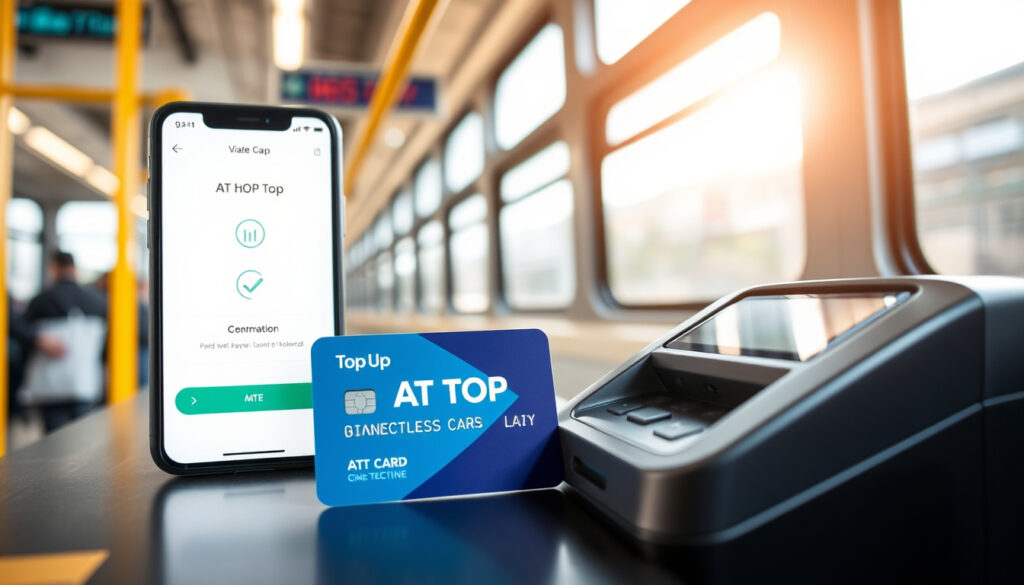
AT HOP Card Top Up: Online, Near Me, Balance & Login Guide
Anyone who’s rushed for a bus only to hear that dreaded low-balance beep knows the feeling. Keeping your AT HOP card topped up doesn’t have to be a last‑minute scramble — Auckland Transport offers several straightforward ways to reload, whether you’re at home or on the go.
AT HOP card top-up methods: Online, in-person at retailers, and auto top-up · Official website: at.govt.nz · Online top-up availability: 24/7 via MyAT account · Retailer locations: Over 400 in Auckland region
Quick snapshot
- Online top-up requires a registered MyAT account (Auckland Transport – official travel authority)
- Top-up activates when you tag on at an AT HOP reader (Auckland Transport) (Auckland Transport – official travel authority)
- Auto top-up can be set up via MyAT (Auckland Transport) (Auckland Transport – official travel authority)
- Exact minimum top-up amount may differ between online and in‑person – check the official AT page for current limits (Auckland Transport)
- Whether the auto top-up threshold is adjustable for each card is not specified on the official site.
- The minimum top-up amount for in-person retailers is not publicly listed.
- Online top-up takes about 1 hour to become active after payment (Auckland Transport)
- Set up auto top-up so you never run out of balance (Auckland Transport – registration page)
- Register your card to enable online management and refunds (Auckland Transport – registration page) (Auckland Transport – registration page)
Four top‑up options, all accessible through the same official system. The pattern: online gives you convenience, in‑person gives you speed, and auto top‑up gives you peace of mind.
| Fact | Detail |
|---|---|
| Official Website | at.govt.nz |
| Top-Up Methods | Online, in-person, auto top-up |
| Balance Check | Online, retailer, app, or at gates |
| Auto Top-Up Available | Yes, via MyAT |
How do I top up my AT HOP card online?
Step 1: Go to MyAT
- Head to at.govt.nz and log into your MyAT account. If you haven’t registered yet, you’ll need to create an account first – it’s free and takes about five minutes (Auckland Transport – registration instructions).
Step 2: Select ‘AT HOP’
- From the MyAT dashboard, click on the AT HOP section. All your registered cards appear here (Auckland Transport).
Step 3: Choose ‘Top up online’
- Under the card you want to reload, select the “Top up online” option. You can top up any registered card (Auckland Transport).
Step 4: Select your registered card and amount
- Pick the amount – note that a minimum top‑up usually applies (check the official site for the current figure). Confirm your selection (Auckland Transport).
Step 5: Complete payment
- Enter your credit or debit card details and submit. The top‑up will appear as pending until you tag on at an AT HOP reader. Once you tag, the balance updates immediately (Auckland Transport).
Online top‑ups don’t work for immediate travel – they take roughly one hour to activate, and you must tag on within 60 days or the transaction is cancelled and refunded. If you need funds right away, top up in person (Auckland Transport).
The catch: Online top-up offers convenience but requires patience.
How do I log in to my AT HOP account for top up?
Creating a MyAT account
- Visit at.govt.nz and click “Create account”. You’ll need an email address and a password. After submitting, verify your email to activate the account (Auckland Transport – registration page).
Logging in to MyAT
- Use the same email and password you registered with. The same credentials work for other Auckland Transport services – no separate login required (Auckland Transport).
Resetting your password
- If you forget your password, click “Forgotten password” on the login page. Auckland Transport will send a reset link to your registered email (Auckland Transport).
The implication: your MyAT login is the single key to managing all your AT HOP cards, so keep those credentials handy.
Where can I top up my AT HOP card in person?
AT HOP retailers near me
- Auckland Transport lists over 400 retailers across the region that sell top‑ups. These include convenience stores, supermarkets, and dairies – look for the AT HOP sign (Auckland Transport – retailer map).
Top-up at train stations
- Most train stations have ticket vending machines or staffed ticket offices where you can load cash or card top‑ups (Auckland Transport).
Top-up at bus stations and ferry terminals
- Key bus interchanges and ferry terminals also offer top‑up machines or counters. Note that cash is only accepted for train and ferry tickets – buses require a topped‑up AT HOP card or contactless payment (Auckland Transport).
In‑person top‑ups are instant – the balance updates as soon as the retailer processes the payment. Great for last‑minute travellers, but you need to be near a retailer or station.
The implication: in-person top-ups are best for last-minute needs, but require proximity to a retailer or station.
How do I check my AT HOP card balance?
Check balance online via MyAT
- Log into MyAT, go to AT HOP, and you’ll see the current balance for each registered card – it’s free (Auckland Transport).
Check balance at a retailer or ticket machine
- Any AT HOP retailer or ticket machine can show your balance when you present your card. No purchase necessary (Auckland Transport).
Check balance via the AT Mobile app
- The official AT Mobile app (available on iOS and Android) lets you view your balance on the go. You can also set low‑balance alerts (Hop App – official mobile app).
Why this matters: knowing your balance before you board avoids the hassle of an insufficient‑funds beep. Set low‑balance alerts so you never get caught short.
How do I manage my AT HOP card account?
Registering your AT HOP card
- You must register each card to your MyAT profile to top up online. You can register up to nine cards per account. Each card number is added, and you tag on within 60 days to activate it (Auckland Transport – registration page).
Viewing top-up history
- In MyAT, under each card you’ll see a history of top‑ups and rides. This helps track spending and spot any issues (Auckland Transport).
Setting up auto top-up
- Auto top‑up is a lifesaver: set a trigger amount (e.g., when balance drops below $10), a reload amount, and a payment method. AT will automatically charge your card and reload. You can edit or cancel anytime in MyAT (Auckland Transport – auto top-up setup).
Replacing a lost or damaged card
- If your registered card is lost or damaged, order a replacement online. The balance and any concessions are transferred to the new card. Unregistered cards cannot be replaced (Auckland Transport).
The trade‑off: registering your card gives you online top‑up, auto top‑up, and loss protection – but you must remember your MyAT login and keep your email verified.
How to Top Up Your AT HOP Card (Quick Steps)
- Online: Log into MyAT → AT HOP → Top up online → Choose card & amount → Pay with credit/debit card. Tag on within 60 days to activate (Auckland Transport).
- In person: Visit any AT HOP retailer or station machine. Hand over cash or card – top‑up is instant (Auckland Transport).
- Auto top-up: Enable in MyAT. Set trigger balance, reload amount, and payment method. AT tops up automatically (Auckland Transport).
The pattern: these steps cover all methods; choose based on your need for speed or convenience.
Confirmed facts
- Online top‑up requires a registered MyAT account (Auckland Transport)
- Card balance can be checked for free online, at retailers, or at gates (Auckland Transport)
- Auto top‑up is available via MyAT (Auckland Transport)
What’s unclear
- Exact minimum top‑up amount for online vs. in‑person – check AT official page for current figures (Auckland Transport)
“Go to MyAT, go to AT HOP, select Top up online – choose your card, enter amount and payment.”
Auckland Transport official instructions
“Hop App allows you to add a virtual HOP card to your wallet, reload anytime, and set up auto‑load.”
Hop App official description
For Auckland travellers who rely on public transport, the decision is straightforward: register your card, set up auto top‑up for routine trips, and top up in person only when you need instant credit. Online top‑ups work best when you plan ahead – they take an hour to activate but save you a detour to a retailer.
Frequently asked questions
Can I top up my AT HOP card at a train station?
Yes. Most train stations have ticket vending machines or staffed ticket offices where you can reload your AT HOP card with cash or card (Auckland Transport).
Is there a minimum top-up amount?
Auckland Transport sets a minimum for online top‑ups – the current amount is listed on the official site. In‑person top‑ups at retailers may have different minimums (Auckland Transport).
How long does an online top-up take to apply?
Online top‑ups appear as pending until you tag on at an AT HOP reader. Once you tag, the balance updates – this usually takes about one hour from the moment you complete payment (Auckland Transport).
Can I use a credit card for top-up?
Yes, credit and debit cards are accepted for online top‑ups. In‑person top‑ups also accept card payments at most retailers and machines (Auckland Transport).
What do I do if my top-up fails?
First check your payment details. If the payment went through but the top‑up hasn’t appeared, contact Auckland Transport customer service. If you tagged on but the balance didn’t update, wait a few minutes and try again (Auckland Transport).
Can I top up someone else’s AT HOP card?
Online top‑ups are tied to the MyAT account that owns the card. To top up another person’s card, you would need their MyAT login credentials – or you can buy a top‑up in person at a retailer and load it onto their card directly (Auckland Transport).
How do I get a refund for an unused balance?
If you have a registered card with a balance you no longer need, contact Auckland Transport to request a refund. Unregistered cards cannot be refunded (Auckland Transport – registration page).
More related posts
 Devis de Prêt Hypothécaire: Compare Bank Mortgage Simulations
 Cash for Cars Dunedin: Who Pays Most? Sell Fast for Top Dollar
 What to Do in Perth: Top Attractions, Itineraries & Tips (2026)
 What Is the Best Wake Up Routine? 5 Evidence-Based Methods
 Neck of the Woods Auckland – Complete Venue Guide
 Best Indoor Plants for Air Quality: Top NASA Picks
 How to Convert kJ to Calories: Simple Formula & Calculator