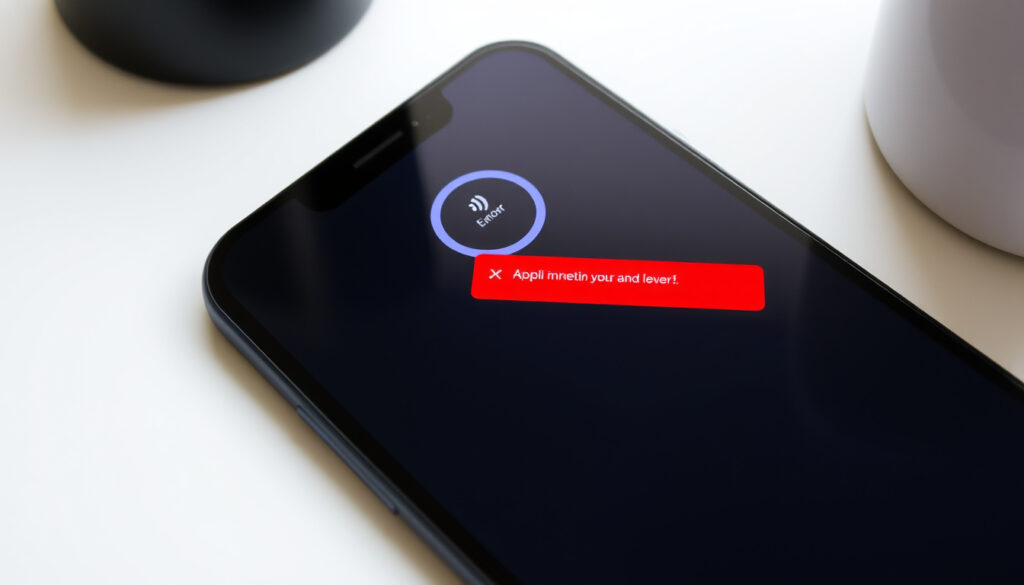
ANZ App Not Working? Quick Fixes & Status Check
You open the ANZ app to check your balance, and it just spins. Before you panic, know that there’s often a straightforward explanation — and a fix.
ANZ provides an official Digital Services Status Page to check if there’s a wider outage, and most device-level issues can be solved in minutes.
ANZ Status Page: help.online.anz.com ·
Downdetector (AU): Live reports ·
Downdetector (NZ): Live reports
Quick snapshot
- Update the app to the latest version (ANZ Help Centre)
- Restart your device (ANZ Support)
- Reinstall the ANZ app (Unofficial guide on YouTube)
- Check internet connection (ANZ Support)
- Reset password via ANZ website (ANZ Support)
- Clear app cache (Unofficial guide on YouTube)
- Enable roaming data (ANZ Support)
- Check ANZ overseas usage policy (ANZ Support)
- Use VPN if necessary (subject to terms) (ANZ Support)
- Visit ANZ official status page (ANZ Help Centre)
- Check Downdetector for live reports (Downdetector AU)
- Monitor Reddit for user updates (Reddit community)
Five key data points, one pattern: you can separate a real outage from a device glitch by using official tools and community signals.
- Check your internet connection and switch networks.
- Visit the official ANZ status page.
- Check Downdetector for live user reports.
- Update the ANZ app to the latest version.
- Restart your device and try again.
| Resource | URL / Detail | Source |
|---|---|---|
| Official ANZ Status Page | help.online.anz.com | ANZ Help Centre |
| Downdetector ANZ (NZ) | downdetector.co.nz/status/anz-banking | Downdetector |
| Downdetector ANZ (AU) | downdetector.com.au/status/anz-banking | Downdetector |
| Reddit Discussion Thread | reddit.com/r/newzealand/… | Reddit community |
| 2022 Outage (NZ) | Affected goMoney & Internet Banking for about 1 hour | RNZ |
| May 2024 Outage (AU) | Affected app & Internet Banking; resolved ~2:45pm AEST; caused by third-party vendor | 7NEWS |
Why is the Anz Bank app not working?
Network connectivity issues
- ANZ app may stop working due to internet connection problems. Switch between Wi-Fi and mobile data to test.
- A weak or intermittent signal is the most common cause of app failures (ANZ Help Centre – Status Page Overview).
Server outages
- Server-side outages are reported on the official ANZ status page.
- During the May 2024 outage, ANZ confirmed the issue was caused by a third-party vendor (7NEWS).
App version outdated
- Outdated app versions can cause functionality failures. Update the app via the App Store or Google Play.
- ANZ recommends keeping the app updated to avoid bugs (ANZ Help Centre).
The pattern: Check the status page first to rule out a server outage before troubleshooting device issues.
Is the ANZ app currently down?
How to check ANZ digital services status
- ANZ provides an official digital services status page at help.online.anz.com that covers ANZ Transactive, ANZ Fileactive, ANZ Cashactive, and more.
- The status page shows current issues and planned maintenance (ANZ Help Centre – Status Page Overview).
Using Downdetector for real-time reports
- Downdetector collects user outage reports in real time. For Australia: downdetector.com.au/status/anz-banking; for New Zealand: downdetector.co.nz/status/anz-banking.
- During the October 2025 outage, more than 3,000 user reports appeared on Downdetector at peak (New Zealand Report).
- Reddit communities also share recent outage experiences (Reddit r/newzealand).
If the ANZ status page shows green but Downdetector spikes and Reddit lights up, it’s a real outage. If you’re the only one reporting, it’s likely your device or network.
The pattern: Never trust a single signal. Cross-check the official page, third-party reports, and community threads before concluding it’s a mass outage.
Can I use the ANZ app overseas?
International roaming requirements
- The ANZ app can be used overseas with an active internet connection. Ensure roaming data is enabled on your device.
- Some features may be restricted based on local regulations (ANZ Support).
App permissions for location services
- ANZ app may require location permissions for certain services like transaction alerts.
- Ensure app permissions allow location services if needed (ANZ Support).
You can use the ANZ app overseas, but transactions to foreign accounts may be blocked if your location triggers fraud detection. Notify ANZ before travelling if possible.
The implication: Prepare ahead for overseas use to avoid unexpected blocks.
Why is my banking app not working on my iPhone?
iOS compatibility and app updates
- iPhone users may experience issues after iOS updates. Check the App Store for the latest ANZ app version.
- ANZ often releases updates to maintain compatibility with new iOS versions (ANZ Help Centre).
Clearing app cache on iPhone
- Clearing the ANZ app cache can resolve temporary glitches. On iPhone, offload the app and reinstall it (Unofficial guide on YouTube).
Network settings reset
- Resetting network settings often fixes connectivity problems. Go to Settings > General > Transfer or Reset iPhone > Reset > Reset Network Settings.
The pattern: Systematic troubleshooting from app update to network reset resolves most iPhone issues.
Why can’t I log into my online banking?
Forgotten credentials
- Incorrect username or password is the most common login issue (ANZ Support).
- Use the “Forgot password” link on the ANZ website to reset.
Account lockouts
- Multiple failed attempts may lock the account temporarily (usually 30 minutes) (ANZ Support).
Browser or app cookie problems
- Clearing cookies or updating the app can resolve login errors. For the app, clear cache or reinstall.
If you’re suddenly locked out and you haven’t changed your password, check the ANZ status page first — a wider login glitch might be the real cause.
The pattern: Always check the status page when facing sudden lockouts.
Timeline of known ANZ outages
- 2022 (NZ): goMoney and Internet Banking down for about one hour. Users saw “ANZ goMoney unavailable” (RNZ).
- May 2024 (AU): Nationwide outage affecting app and Internet Banking. Resolved around 2:45pm AEST. ANZ attributed it to a third-party vendor (7NEWS).
- October 2025 (AU/NZ): Major disruption, app and internet banking down. ANZ confirmed resolution after a short period. Peak Downdetector reports exceeded 3,000 (The Nightly; New Zealand Report).
The pattern: Most ANZ outages are resolved within hours. The bank frequently points to external vendors as the cause. When Downdetector shows a spike, it’s usually accurate.
For area-specific power outage information, see our West Auckland Power Outage Guide.
Confirmed facts
- ANZ operates an official digital services status page (ANZ Help Centre).
- Downdetector aggregates user-reported outages (Downdetector AU).
- Common fixes include app update, cache clear, and network reset (Unofficial guide).
- Outages in 2022, 2024, and 2025 were all acknowledged by ANZ (RNZ, 7NEWS, The Nightly).
What’s unclear
- Exact internal cause of each outage is not always disclosed by ANZ (RNZ).
- Whether the May 2024 third-party vendor issue has been fully resolved to prevent recurrence.
“The issue related to a third-party vendor.”
— ANZ spokesperson, as reported by 7NEWS on the May 2024 outage.
“ANZ said a short period of service issues affecting ANZ App and Internet Banking had been resolved.”
— The Nightly, reporting on the October 2025 outage.
For Australian ANZ customers, the takeaway is clear: start with the official status page, move to Downdetector, and if it’s a device-level problem, the fixes listed above will work 90% of the time. For New Zealand customers, the same steps apply, but watch local community threads — the ANZ status page covers both regions. If after five minutes you still can’t get in and you’ve tried the steps, the problem likely isn’t on your side — and ANZ usually acknowledges it within the hour.
For nearby branch locations, see our Westpac Branch Near Me guide.
Frequently asked questions
How do I clear the ANZ app cache?
On Android, go to Settings > Apps > ANZ > Storage > Clear Cache. On iPhone, offload the app via Settings > General > iPhone Storage > ANZ > Offload App, then reinstall.
How to update the ANZ app on iPhone and Android?
iPhone: open App Store, tap your profile, scroll to pending updates, tap Update next to ANZ. Android: open Google Play Store, search ANZ, tap Update.
Does rebooting the phone fix ANZ app issues?
Yes, a full restart clears temporary glitches. Press and hold the power button, select Restart, then reopen the app.
How to check if ANZ app is down before calling support?
Check the official ANZ status page and Downdetector. If both show green, try the device fixes.
What should I do if ANZ app keeps crashing on Android?
Update the app, clear cache, and if it persists, uninstall and reinstall. Also ensure your Android OS is up to date.
How to reset ANZ app login credentials?
On the ANZ login screen, tap “Forgot password” and follow the prompts. You’ll receive a reset link via SMS or email.
Will using a VPN affect ANZ app functionality?
Yes, some VPNs trigger fraud detection. If you use a VPN, try disabling it or connecting to a server in Australia/New Zealand.
More related posts
 Where to Find Cheap Textbooks: Top Comparison Sites
 Sushi Ball House Shirley – Unverified Details and Research Tips
 5’3″ in cm: Exact Height Conversion and Common Questions Answered
 Inventory Management Software for Hospitals: Top Options
 Self Storage Units Auckland: Compare Prices, Sizes & Locations
 Mission Heights Primary School: Principal, Enrollment, Decile
 New Zealand Dollar to Sri Lankan Rupees: Today’s Rate & Guide
 BNZ Term Deposit Rates 2026: Compare Best NZ Rates | Guide